
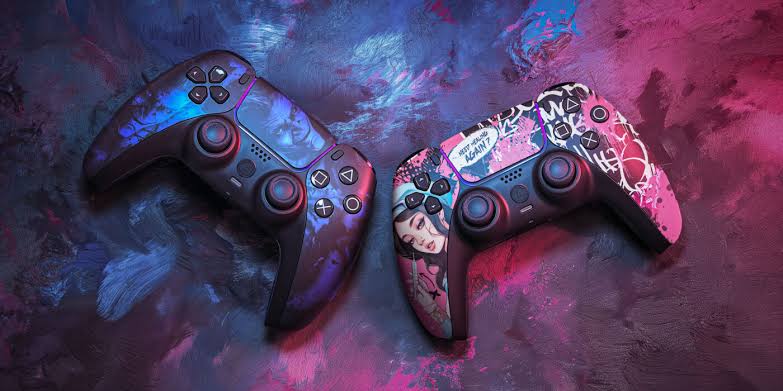

Winning competitive games is rarely about one setting, one controller, or one secret technique. Small improvements in how a controller feels and responds can make a meaningful difference when matches become fast and demanding. Button placement, stick sensitivity, trigger behavior, grip, and vibration settings all influence how quickly a player can react. For competitive gamers, customization is less about making a controller look impressive and more about creating a setup that feels predictable and comfortable.
The best configuration depends heavily on the game and the player’s habits. A fast shooter may require quick aiming and easy access to movement controls, while a racing game can benefit from precise trigger control. Fighting games may place greater importance on directional inputs and button accessibility. As eurogamersonline gaming enthusiasts understand, competitive performance improves when equipment supports consistent execution rather than forcing players to adapt to uncomfortable controls.
Why Controller Customization Matters in Competitive Gaming
A standard controller is designed to work reasonably well for a broad audience, but competitive players often need something more specific. Every player has different hand sizes, reaction patterns, preferred sensitivities, and control habits. Customization allows the controller to better match those individual requirements.
One of the biggest benefits is reduced movement between important controls. If an essential action requires moving a thumb away from an analog stick, the player may lose valuable time during an intense encounter. Remappable buttons can place frequently used actions in easier positions, allowing movement and other commands to happen simultaneously.
Customization can also improve consistency. When sensitivity, dead zones, trigger settings, and button assignments remain stable, players can develop reliable muscle memory. Instead of consciously thinking about controls, they can focus on positioning, timing, strategy, and opponents.
Start With Your Most Important Controls
Before changing every available option, identify the controls you use most frequently. Competitive players sometimes make the mistake of customizing too much at once. This can create an unfamiliar setup that feels impressive on paper but performs poorly during actual matches.
Consider which actions require the fastest reactions. In a shooter, this might include crouching, jumping, reloading, or changing equipment. In a sports game, sprinting, passing, switching players, and defensive commands may deserve priority.
A useful starting point is to ask:
- Which buttons do I press repeatedly?
- Which actions currently interrupt my movement?
- Which controls feel uncomfortable after long sessions?
- Do I frequently remove my thumb from an analog stick?
- Are accidental presses affecting my gameplay?
- Which actions require the quickest response?
Once these questions are answered, customization becomes purposeful rather than experimental.
Optimize Button Mapping for Faster Reactions
Button mapping is one of the most powerful controller customization options available. Moving important commands to more accessible positions can help players perform multiple actions without sacrificing movement.
For example, a player who needs to jump while maintaining control of the camera may benefit from moving the jump command to a rear paddle. This allows the thumb to remain on the analog stick while another finger handles the action.

However, there is no universally perfect layout. A configuration that works brilliantly for one player may feel awkward to another. The goal is to reduce unnecessary hand movement and make frequently used actions easier to reach.
When experimenting with button layouts, change only a few controls at a time. Play several matches before deciding whether the adjustment works. This gives the brain enough time to build new muscle memory.
Choose Analog Stick Sensitivity Carefully
Analog stick sensitivity directly influences how quickly the camera or character responds to movement. High sensitivity can make rapid turns easier, but it may also make precise aiming more difficult. Lower sensitivity can provide greater control but may feel slow during close-range encounters.
Competitive players should avoid copying another player’s sensitivity simply because it is popular. Hardware, display size, game mechanics, hand movement, and personal technique all affect the ideal setting.
A practical approach is to begin with a moderate sensitivity and make small adjustments. If aiming regularly overshoots the intended target, reduce sensitivity. If turning feels too slow during fast encounters, increase it gradually.
Consistency is more important than constantly searching for a perfect number. Once a setting feels comfortable, keep it unchanged long enough to develop reliable muscle memory.
Understand Stick Dead Zones
Dead zones determine how much an analog stick must move before the game registers an input. A large dead zone can prevent accidental movement caused by minor stick drift, but it can also make controls feel less responsive.
A smaller dead zone generally provides quicker input recognition. However, setting it too low can expose existing stick drift and cause unwanted movement.
Players should test dead-zone settings carefully:
- Start with the game’s default value.
- Reduce it gradually.
- Check whether the character or camera moves without input.
- Test both slow and rapid movements.
- Keep the lowest stable setting that does not introduce unwanted drift.
This adjustment is especially valuable for games requiring precise aiming or controlled movement. A stable stick is more important than simply choosing the smallest possible dead zone.
Adjust Trigger Settings for Competitive Advantage
Trigger customization can be particularly useful in shooters, racing games, and action titles. Some controllers allow players to shorten trigger travel, meaning the command registers with less physical movement.
For games where triggers function mainly as quick on/off commands, shorter travel can make actions feel more immediate. A shooter may benefit from faster firing input, while a racing game that relies on gradual acceleration and braking may require the full range of trigger movement.
This distinction is important. Short triggers are not automatically better for every game.
Players should consider the role of each trigger before changing its behavior. If precise pressure control matters, maintaining a longer travel distance may be preferable. If rapid activation is the priority, a shorter response can be useful.
Build a Comfortable Competitive Grip
Comfort is often underestimated when discussing controller performance. Competitive sessions can last for hours, and poor grip positioning can lead to fatigue, tension, or inconsistent inputs.
A good grip should allow the fingers to rest naturally while keeping frequently used controls accessible. Players should avoid squeezing the controller unnecessarily hard. Excessive tension can make small movements less precise and increase fatigue over time.
Consider the following comfort factors:
- Controller weight
- Handle shape
- Thumbstick height
- Paddle placement
- Surface texture
- Button resistance
- Hand position
Players with larger hands may prefer longer or taller sticks, while shorter controls may feel easier for players who make compact thumb movements. The right choice is highly individual.
Compare Common Competitive Controller Adjustments
| Customization | Main Benefit | Best Use | Potential Drawback |
|---|---|---|---|
| Button remapping | Faster access | Shooters, action games | Requires relearning |
| Rear paddles | Keeps thumbs on sticks | Competitive shooters | Can feel unfamiliar |
| Lower dead zone | Faster input | Precision aiming | May reveal stick drift |
| Higher sensitivity | Faster camera movement | Fast-paced games | Harder fine control |
| Short trigger travel | Faster activation | Shooters | Less gradual control |
| Taller thumbsticks | Greater precision | Aim-focused games | Requires adaptation |
| Vibration reduction | Less distraction | Competitive sessions | Reduced feedback |
The table illustrates an important principle: every modification involves a trade-off. A setting should be selected because it improves a specific aspect of gameplay, not simply because it sounds competitive.
Use Different Profiles for Different Games
Trying to force one controller configuration across every game can create unnecessary compromises. A better approach is to create separate profiles when the controller supports them.
A first-person shooter might use a different sensitivity, trigger configuration, and button layout than a racing simulator. A fighting game may require yet another arrangement.
Profile-based customization makes switching between genres easier. Instead of changing settings manually before every session, players can select a saved configuration.
eurogamersonline players looking to improve across several competitive genres can benefit from treating each game as its own control environment. The objective is not to find one universal setup but to create reliable profiles that match each game’s demands.
Customize for Movement, Not Just Aim
Aim often receives most of the attention, but movement can be equally important. Competitive games frequently reward players who can move, look, and perform actions simultaneously.
If a control layout makes movement awkward, even excellent aim may not be enough. Consider whether you can jump, crouch, slide, sprint, or switch equipment without losing camera control.
This is where rear buttons and paddles can become useful. They allow additional fingers to perform commands while both thumbs remain focused on movement and camera control.
The best movement configuration should feel natural rather than complicated. Adding too many shortcuts can create accidental presses. Competitive customization should simplify important actions rather than turning the controller into an overloaded command center.
Reduce Unnecessary Vibration
Vibration provides useful feedback in many games, but competitive players may prefer to reduce or disable it. Strong vibration can introduce physical distraction during precise aiming or rapid movement.
For casual gaming, vibration can increase immersion. During ranked or tournament-style sessions, however, some players prefer a quieter and more stable physical experience.
Try several levels rather than immediately turning vibration completely off. A moderate setting may preserve useful feedback without becoming distracting.
This is another area where personal preference matters. If vibration helps you recognize damage, impacts, or environmental events, removing it could actually reduce awareness.
Test Changes in a Controlled Environment
Never judge a new controller setup solely during an important competitive match. A configuration that feels unusual can temporarily reduce performance while the brain learns it.
Instead, test modifications in practice modes, training ranges, private matches, or low-pressure sessions. Spend enough time with each adjustment to determine whether it genuinely improves control.
A useful testing process is:
- Change one setting.
- Practice for several minutes.
- Perform the same movement repeatedly.
- Test the adjustment in realistic situations.
- Compare it with your previous configuration.
- Keep it only if it produces a meaningful improvement.
This process prevents players from constantly changing settings based on short-term impressions.
Develop Muscle Memory Through Consistency
Once a controller configuration works, consistency becomes essential. Constantly changing sensitivity or button layouts prevents the brain from developing dependable motor patterns.
Competitive performance depends heavily on automatic responses. When a player knows exactly how far a stick needs to move or where a button is located, less mental attention is required for basic inputs.
That extra attention can instead be used for reading opponents, managing resources, predicting movement, and making strategic decisions.
For this reason, the best controller setup is not necessarily the one with the most customization. It is the one that becomes so familiar that the controls almost disappear from conscious thought.
Maintain Your Controller for Reliable Performance
Customization cannot compensate for poorly maintained hardware. Analog sticks, triggers, buttons, and connection points should be kept clean and checked regularly.
Dust and debris can affect button feel and stick movement. A worn analog stick may also develop drift, making precise aiming increasingly difficult.
Players should monitor changes in controller behavior. If a familiar sensitivity suddenly feels inconsistent, the problem may not be the setting. Hardware wear can produce symptoms that look like configuration problems.
Regular cleaning, careful storage, and avoiding unnecessary impacts can help extend controller life. Competitive players depend on predictable equipment, so maintenance should be considered part of the overall setup.
Create a Personal Competitive Configuration
There is no single controller configuration that guarantees better results. Competitive performance comes from combining comfortable hardware with settings that complement individual technique.
A strong setup generally follows a few principles:
- Keep essential controls easy to reach.
- Choose sensitivity based on personal control.
- Use the lowest stable stick dead zone.
- Match trigger behavior to the game.
- Prioritize comfort during long sessions.
- Test changes before competitive matches.
- Avoid changing settings constantly.
- Save separate profiles for different games.
- Maintain the controller regularly.
The most effective configuration should make actions feel predictable. When movement, aiming, and button inputs become consistent, players can spend more attention on gameplay decisions.
Conclusion
Controller customization is not about copying professional players or selecting the most expensive hardware. It is about creating a control system that matches the way you actually play. Small changes to button mapping, sensitivity, dead zones, triggers, grip, and vibration can collectively create a more comfortable and consistent experience. For eurogamersonline gamers, the smartest strategy is to customize gradually, test every adjustment, and prioritize reliability over novelty. A controller should feel like a natural extension of your hands rather than something you constantly have to think about.

