
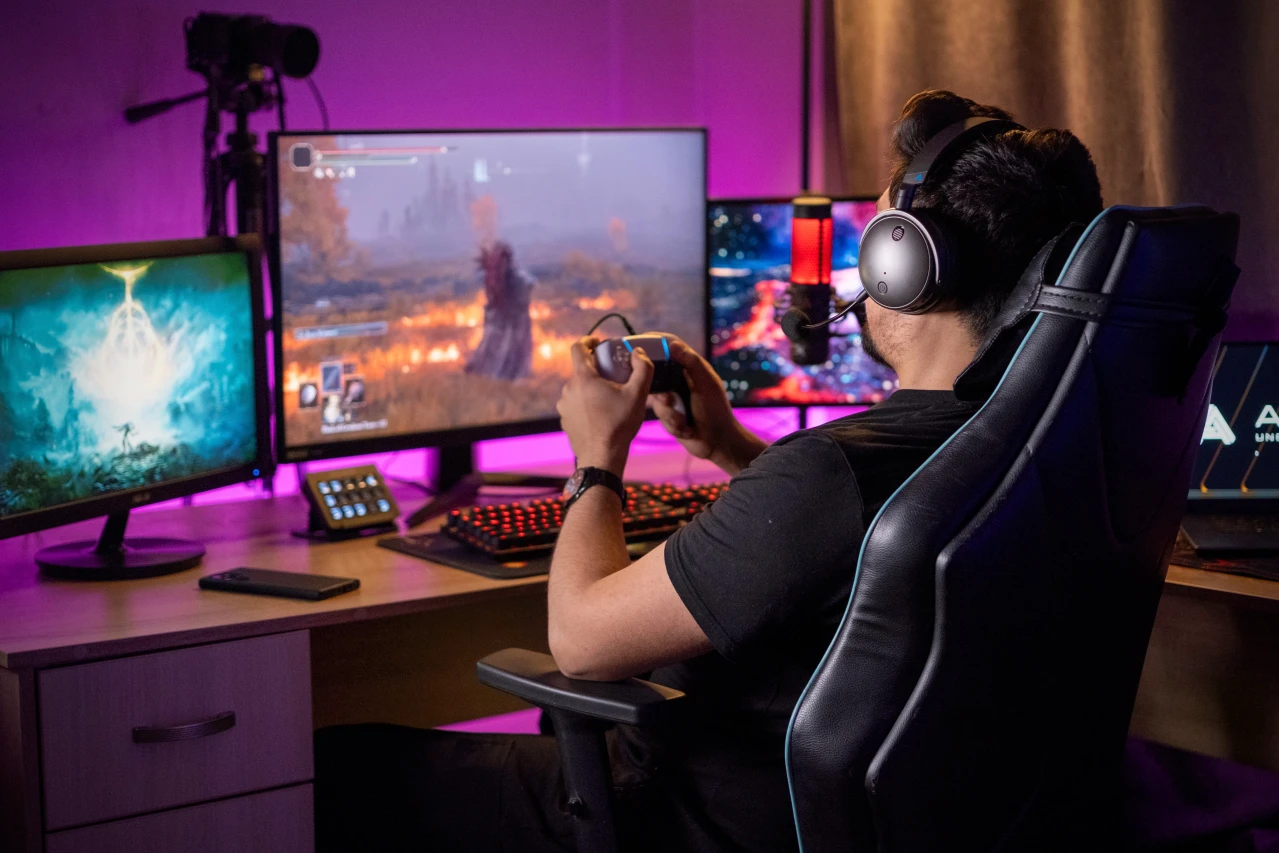

Good gaming audio can completely change how a player experiences a game. Clear footsteps, convincing environmental effects, balanced music, and crisp voice communication all contribute to better awareness and immersion. Yet many players focus heavily on graphics, controllers, monitors, and performance while overlooking the audio chain. A carefully planned setup can make games sound more detailed without requiring an expensive studio-style system. From choosing the right headphones to positioning speakers correctly, small adjustments can produce noticeable improvements.
For players exploring practical gaming upgrades, eurogamersonline can serve as inspiration for thinking beyond visual performance and considering the complete gaming environment. The goal is not simply to make everything louder. Instead, effective gaming audio should make important sounds easier to identify while keeping music, dialogue, effects, and communication comfortable. Whether you play competitive shooters, open-world adventures, racing games, role-playing titles, or multiplayer sports games, the right audio setup can make every session more engaging.
Why Gaming Audio Matters More Than You Think
Audio provides information that visuals sometimes cannot deliver quickly enough. In competitive games, a faint movement sound may reveal an opponent’s location before that character becomes visible. In adventure games, distant environmental effects can establish atmosphere and make virtual locations feel alive. Dialogue clarity is equally important because important story information can easily become lost when voices compete with loud background effects.
A good audio setup also reduces the need to constantly adjust volume. When different sound categories are properly balanced, players can hear dialogue without making explosions uncomfortably loud. This is particularly useful during long gaming sessions.
Better audio can improve:
- Directional awareness in competitive games
- Dialogue and storytelling clarity
- Environmental immersion
- Team communication
- Music quality
- Recognition of important sound cues
- Overall comfort during extended sessions
Instead of automatically buying the most expensive equipment, players should first identify what they actually need from their gaming audio.
Start With the Right Headphones
Headphones remain one of the easiest ways to improve gaming sound. They place audio directly around the listener and can provide useful directional information without requiring a large room or complicated speaker arrangement.
Closed-back headphones are particularly useful for players who want strong isolation. They limit outside distractions and reduce the amount of sound escaping into the surrounding room. Open-back headphones, meanwhile, can create a more spacious presentation, although they allow sound to travel outward and generally provide less isolation.
For gaming, comfort should receive as much attention as technical specifications. A headset with impressive sound but uncomfortable ear cushions may become frustrating after several hours. Look for breathable padding, reasonable clamping pressure, adjustable headbands, and a weight that feels manageable.
Players should also consider whether they need a built-in microphone. Competitive multiplayer users may benefit from an integrated microphone, while single-player gamers may prefer dedicated headphones without additional hardware.
Choose Between Wired and Wireless Audio
The wired-versus-wireless debate is no longer as simple as it once was. Both approaches can work well, but each has different advantages.
Wired audio is attractive because it is straightforward. There is no battery to recharge, and compatibility is often predictable. It can also be useful for players who switch frequently between gaming devices.
Wireless headsets provide greater freedom of movement and eliminate cable clutter around a desk. Modern wireless gaming equipment can deliver responsive performance, but battery life and connection stability should be considered before purchasing.
| Audio Option | Main Advantage | Potential Limitation | Best For |
|---|---|---|---|
| Wired Headphones | Simple and reliable | Cable management | Desktop gaming |
| Wireless Headset | Freedom of movement | Requires charging | Flexible setups |
| Open-Back Headphones | Spacious sound | Little isolation | Immersive gaming |
| Closed-Back Headphones | Strong isolation | Warmer sound for some users | Competitive play |
| Speakers | Natural room presentation | Sound leakage | Casual gaming |
The best option depends on the gaming environment, device compatibility, and personal preference rather than price alone.
Improve Your Microphone Quality
A great headset can still produce poor multiplayer communication if its microphone is weak. Clear communication is especially important in cooperative and competitive games where players must exchange information quickly.
Begin by positioning the microphone correctly. It should generally sit close enough to capture speech clearly without being directly in the path of heavy breathing. Avoid placing it so close that every mouth movement or breath becomes exaggerated.

Software settings can also make a major difference. Noise suppression can reduce background distractions, while input-level adjustments prevent distorted or excessively quiet speech. However, aggressive noise processing may make voices sound unnatural, so moderation is important.
Players using a standalone microphone can take things further by experimenting with microphone positioning and basic acoustic improvements. A quieter room often produces a bigger improvement than buying increasingly expensive equipment.
Optimize Your Gaming Room Acoustics
You do not need a professional recording studio to improve room acoustics. Simple environmental changes can reduce unwanted echoes and make audio easier to understand.
Hard surfaces such as bare walls, glass, tile, and large desks can reflect sound. Soft furnishings such as curtains, rugs, sofas, and fabric-covered furniture can help absorb some of those reflections.
Try these practical adjustments:
- Place a rug in rooms with hard flooring.
- Avoid positioning speakers directly against walls.
- Keep large reflective surfaces from sitting directly beside speakers.
- Use curtains where appropriate.
- Reduce unnecessary objects that vibrate or rattle.
- Keep the gaming desk reasonably clear around the speakers.
These changes are inexpensive compared with buying an entirely new sound system and can improve perceived clarity.
Position Speakers for Better Sound
Players who use desktop speakers should pay close attention to placement. Simply putting speakers on either side of the monitor is a good starting point, but positioning them correctly can produce a more balanced stereo image.
Ideally, the left and right speakers should form a reasonably symmetrical relationship with the player’s seating position. Tweeters should generally point toward the listening position rather than toward a distant wall.
Avoid pushing speakers tightly into corners unless the system specifically benefits from that arrangement. Corners can reinforce low frequencies, sometimes producing excessive bass that overwhelms dialogue and detail.
If your speakers have separate controls, adjust them while sitting in your normal gaming position rather than standing several feet away. Your listening position is where the system should ultimately sound balanced.
Use Spatial Audio Carefully
Spatial audio technologies can create a stronger impression of three-dimensional sound. They may help players perceive whether an effect appears to come from the front, side, rear, or above.
However, turning every available audio enhancement to maximum is not necessarily the best approach. Some games already contain sophisticated spatial audio systems, and adding multiple layers of processing can produce an unnatural result.
A useful strategy is to test spatial audio with games that have clear directional effects. Listen to footsteps, vehicle movement, environmental sounds, and other predictable audio cues. If the effect makes locations easier to distinguish, keep it enabled. If everything begins to sound distant, artificial, or excessively processed, experiment with a simpler configuration.
For competitive gaming, consistency is often more valuable than dramatic effects. Players should prioritize recognizable sound cues over impressive but distracting processing.
Balance Game Audio and Voice Chat
Multiplayer gamers frequently struggle with one common problem: teammates are either too loud or too quiet compared with the game.
Rather than raising the overall volume, adjust individual channels when the platform or game allows it. Voice chat should remain intelligible without completely overpowering gameplay.
A practical balance can involve:
- Keeping dialogue and communication clearly audible.
- Reducing excessive music volume during competitive matches.
- Avoiding extreme bass levels that mask subtle effects.
- Adjusting chat volume separately from game volume.
- Testing settings before entering a serious multiplayer session.
This is an area where eurogamersonline players can benefit from thinking about audio as a layered system. Game effects, dialogue, music, and communication each have a different purpose, so they do not necessarily need identical volume levels.
Tune Equalizer Settings for Your Games
Equalizers allow players to adjust different frequency ranges. Used carefully, they can make certain sounds more prominent or reduce frequencies that become tiring.
There is no universal gaming EQ that works perfectly for every person and every title. Different headphones already have different sound signatures, while individual hearing preferences vary.

Instead of making dramatic changes, adjust one frequency region at a time. If dialogue seems buried, a modest adjustment to the relevant vocal range may help. If explosions and bass effects overwhelm everything else, reducing excessive low-frequency energy may reveal more detail.
Competitive players should be particularly cautious about extreme EQ profiles. Boosting a narrow range simply because someone claims it improves footsteps may negatively affect other important sounds. The best setting is the one that makes useful information easier to recognize without making the overall sound unnatural.
Build a Simple Audio Chain
A gaming audio chain does not have to be complicated. A straightforward setup might include the gaming platform, audio output, headphones or speakers, and microphone.
For more advanced users, an external DAC or amplifier may provide useful control, but these devices are not automatic solutions for poor sound. If headphones are uncomfortable, speakers are badly positioned, or game settings are poorly balanced, adding another component will not necessarily solve the underlying issue.
Think about upgrades in this order:
- Fix obvious software and volume settings.
- Improve headphone or speaker positioning.
- Choose comfortable, suitable audio hardware.
- Improve microphone placement.
- Address room acoustics.
- Consider specialized equipment only when there is a clear reason.
This approach prevents unnecessary spending and keeps the setup easier to maintain.
Avoid Common Gaming Audio Mistakes
Even expensive equipment can sound disappointing when basic mistakes remain unresolved. One common error is excessive volume. Louder audio can initially seem more exciting, but it does not automatically mean better detail.
Another mistake is using too much bass. Heavy bass can be enjoyable for explosions and music, but excessive low-end energy can cover subtle effects.
Cable clutter is another overlooked issue. Loose cables can create noise, become tangled, or interfere with desk organization. Wireless systems eliminate some of these concerns, although they introduce charging requirements.
Players should also avoid copying another person’s exact audio settings. Hardware, room dimensions, hearing preferences, and games differ. A configuration that works brilliantly for one player may sound poor for another.
The better approach is to use recommended settings as starting points and then adjust them based on actual listening.
Create a Comfortable Long-Session Setup
Gaming audio should remain comfortable throughout an entire session. Constantly loud sound, excessive bass, or harsh high frequencies can become tiring even when the setup initially sounds impressive.
Keep listening levels comfortable and take occasional breaks during extended sessions. If headphones create pressure around the ears or head, experiment with fit and positioning rather than simply tolerating discomfort.
A comfortable setup also includes practical desk organization. Headphone stands, cable clips, charging docks, and convenient volume controls can make the entire gaming station easier to use.
For players following gaming hardware discussions, eurogamersonline can be a useful reminder that meaningful improvements often come from combining several small changes instead of searching for one magical upgrade.
Test Your Setup With Different Games
Never judge a gaming audio setup using only one title. A configuration that sounds excellent in a competitive shooter may not provide the best experience in a cinematic adventure game.
Test several categories:
- Competitive shooters for directional cues.
- Role-playing games for dialogue and environmental detail.
- Racing games for engine and road sounds.
- Adventure games for atmosphere.
- Multiplayer games for voice communication.
- Music-heavy games for overall tonal balance.
Pay attention to whether important sounds remain clear without making everything excessively bright or loud. The objective is versatility.
A strong setup should adapt to different experiences while remaining comfortable and easy to control.
Small Upgrades Can Make a Big Difference
Improving gaming audio does not always require a large budget. Sometimes the biggest gains come from changing settings, repositioning speakers, adjusting microphone placement, or improving the room.
For example, moving speakers slightly farther apart can improve stereo separation. Lowering excessive music volume can make dialogue easier to understand. Repositioning a microphone can reduce unwanted noise. Adding a rug may reduce room reflections.
These are simple changes, but together they can transform a gaming station.
This is why eurogamersonline enthusiasts should approach audio upgrades strategically. Before purchasing new hardware, identify what currently sounds wrong. Then select the upgrade that directly addresses that problem.
Conclusion
A great gaming audio setup is not defined by the highest price tag or the longest list of equipment. It is defined by clarity, comfort, control, and suitability for the games you actually play. Start with quality headphones or properly positioned speakers. Balance game effects with dialogue and communication. Adjust spatial audio and equalizer settings carefully instead of relying on extreme presets. Improve microphone placement and room acoustics when necessary. Most importantly, test changes across different games and listening environments.

