
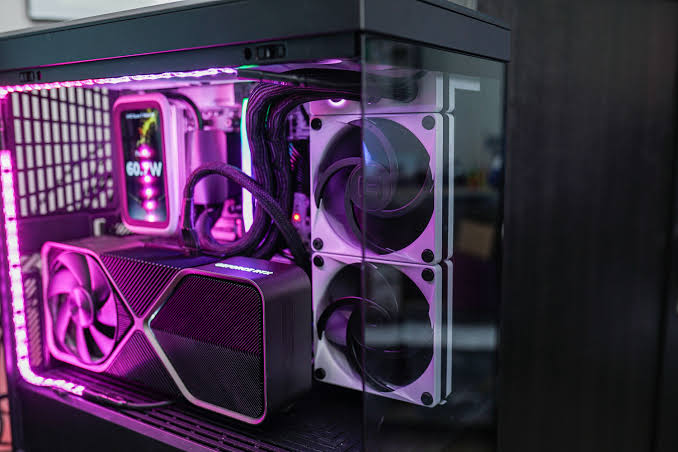

A powerful gaming PC can deliver exceptional frame rates, detailed graphics, and smooth multitasking, but all that performance produces heat. Without effective thermal management, heat can accumulate inside the chassis, forcing fans to work harder and potentially reducing sustained performance. A good cooling strategy therefore involves much more than installing a large CPU cooler. It includes case airflow, fan positioning, thermal paste, dust management, component spacing, and choosing a cooling method that matches the hardware.
For gamers building or upgrading a system, eurogamersonline recommends approaching cooling as a complete system rather than treating each component separately. The CPU and GPU are usually the primary heat sources, but motherboard power components, storage, memory, and even the power supply contribute to the overall thermal environment. Air cooling and liquid cooling can both be effective when correctly matched to the system. The best solution depends on workload, case design, processor requirements, budget, noise preferences, and how much maintenance the owner is comfortable performing.
Why Thermal Control Matters in a Gaming PC
Gaming creates sustained workloads that can keep the CPU and GPU under considerable stress for long periods. As these components consume electrical power, they generate heat that must be transferred away efficiently. If warm air remains trapped inside the case, the temperature of the air surrounding the cooler rises, making it harder for the cooling system to dissipate additional heat.
Modern processors can dynamically adjust their operating behavior according to temperature and power conditions. Excessive heat can therefore contribute to reduced clock speeds, inconsistent performance, increased fan noise, or thermal throttling. Good cooling gives components more thermal headroom, helping them maintain consistent performance during longer gaming sessions. (Intel)
Effective thermal management can also make a PC more comfortable to use. Fans that constantly operate at high speeds can become distracting, especially when gaming without headphones. Instead of simply increasing fan speed, a better approach is to establish an efficient path for cool air to enter and heated air to leave.
Air Cooling: A Practical Choice for Many Gamers
Air cooling remains one of the simplest and most dependable ways to manage CPU temperatures. A conventional tower cooler combines a metal heatsink, heat pipes, and one or more fans. Heat moves from the CPU into the cooler, while airflow across the heatsink transfers that heat into the surrounding air.
One major advantage of air cooling is simplicity. There is no pump, radiator, or coolant loop to install. A quality tower cooler can also provide strong performance without consuming radiator mounting space. This makes air cooling particularly attractive for mainstream gaming builds where the processor does not demand an unusually large thermal solution.
Key benefits of air cooling include:
- Straightforward installation
- Generally lower purchase cost
- No pump or coolant loop
- Simple long-term maintenance
- Wide compatibility across many builds
- Easy troubleshooting when temperatures rise
However, physical dimensions matter. Large tower coolers can interfere with tall memory modules or other motherboard components, so compatibility should always be checked before purchase.
Liquid Cooling for High-Performance Systems
Liquid cooling transfers heat from the CPU through a water block and circulating coolant to a radiator. Fans attached to the radiator then release that heat into the surrounding air. All-in-one, or AIO, coolers package these components into a factory-assembled system, making them substantially easier to install than a custom loop.

For high-performance processors, liquid cooling can provide additional thermal capacity and a cleaner appearance around the CPU socket. Larger radiators can also offer greater heat-dissipation potential, although the actual result depends on the processor, radiator size, fans, case airflow, and ambient temperature.
Liquid cooling is especially attractive when a system is designed around sustained heavy workloads or when the builder wants additional thermal headroom. However, it is not automatically better for every gaming PC. A well-designed air-cooled system can be highly effective, while an improperly installed AIO can perform poorly.
Consider liquid cooling when:
- You are using a high-performance processor.
- Your case has suitable radiator support.
- You want additional thermal headroom.
- You prefer the appearance of an AIO.
- You regularly run demanding workloads for extended periods.
Air Cooling vs. Liquid Cooling
Choosing between these approaches becomes easier when the priorities of the build are clearly defined.
| Cooling Factor | Air Cooling | Liquid Cooling |
|---|---|---|
| Installation | Usually simpler | More involved |
| Maintenance | Low | Low for AIO, higher for custom loops |
| Cost | Often more affordable | Usually more expensive |
| Space | Requires CPU socket clearance | Requires radiator space |
| Noise | Depends heavily on fan design | Depends on pump and radiator fans |
| Customization | Moderate | High |
| Best Use | Mainstream and many high-end builds | High-heat and enthusiast systems |
The important point is that cooling performance comes from the entire thermal design. A premium cooler cannot compensate indefinitely for a restrictive case, blocked intake, dusty filters, or poor fan orientation. eurogamersonline emphasizes matching the cooling hardware to the complete PC rather than choosing equipment based solely on specifications or appearance.
Build a Strong Case Airflow Path
Case airflow is one of the most overlooked aspects of gaming PC thermal control. The objective is straightforward: bring relatively cool air into the chassis, move it across heat-producing components, and exhaust the warmed air.
A common configuration uses front or bottom fans as intake and rear or top fans as exhaust. This creates a directional airflow path that helps prevent hot air from repeatedly circulating around the CPU and GPU. The exact arrangement should still depend on the case’s ventilation design.
Adding more fans is not always the answer. Poorly positioned fans can create turbulence instead of improving useful airflow. Strategic placement generally matters more than simply filling every available fan mount.
A good airflow strategy should consider:
- Front-panel ventilation
- Fan orientation
- Rear exhaust placement
- Top exhaust availability
- Dust-filter condition
- Cable obstruction
- GPU position
- Clearance around the case
Keeping the case slightly positive in pressure can also help reduce the amount of unfiltered air entering through gaps, although the ideal balance varies by chassis and fan configuration.
Choose the Right CPU Cooler Size
CPU cooler selection should begin with the processor and the case rather than aesthetics. A compact processor intended for moderate workloads may not require a massive dual-tower cooler or large radiator. Conversely, a high-performance CPU operating under sustained loads can benefit from a more capable thermal solution.
Cooler height and radiator compatibility are equally important. Before purchasing, check the maximum CPU cooler height supported by the case. For liquid cooling, confirm the supported radiator dimensions and whether installing the radiator will interfere with memory, motherboard heatsinks, or graphics hardware.
The physical design of the case can dramatically affect cooling efficiency. A chassis with a highly restrictive front panel may limit intake airflow, while a well-ventilated mesh design can make it easier for fans to supply fresh air. eurogamersonline recommends evaluating the case, cooler, graphics card, and fan arrangement as one thermal package before finalizing a build.
Thermal Paste and CPU Contact
Thermal paste is a small component of the cooling system, but it plays an important role in transferring heat between the CPU’s integrated heat spreader and the cooler’s contact surface. Tiny microscopic imperfections prevent two metal surfaces from making perfect contact, and thermal compound helps fill those gaps.
Correct application is more important than excessive application. Too little compound can reduce contact quality, while using far more than necessary does not automatically improve cooling. Cooler manufacturers often provide specific installation guidance, so following the supplied instructions is sensible.
When replacing an old cooler, clean the existing thermal compound carefully before applying fresh paste. Also verify that the cooler is mounted evenly. Uneven mounting pressure can reduce the quality of contact and produce unexpectedly high CPU temperatures.
Optimize GPU Cooling Too
The CPU often receives most of the cooling attention, but the graphics card can be the largest source of heat during gaming. A modern GPU may operate at high utilization for extended periods, especially when playing demanding titles at higher resolutions or graphical settings.
Case airflow directly affects GPU cooling because the graphics card depends on the air surrounding it. If that air is already warm, the GPU cooler has less opportunity to remove heat effectively.
Avoid blocking the graphics card’s intake area with unnecessary cables or accessories. Maintain adequate space around the card when possible, and make sure dust does not accumulate heavily around its fans and heatsink fins.
If GPU temperatures are consistently higher than expected, investigate the whole airflow system rather than immediately replacing the graphics card cooler. Sometimes improving front intake airflow or adding an appropriate exhaust fan can address the underlying issue.
Manage Fan Speeds Intelligently
A fan running at maximum speed all the time is not necessarily evidence of good cooling. It can indicate that the system is compensating for poor airflow, excessive heat generation, or an inefficient fan curve.
Modern motherboards commonly allow users to create temperature-based fan curves. This lets fans remain quieter during light workloads and increase speed as CPU temperatures rise. GPU software can provide similar control for graphics-card fans.
A sensible fan curve should avoid aggressive speed changes caused by tiny temperature fluctuations. Gradual adjustments can produce a smoother acoustic experience. During demanding games, fans can increase their speed as temperatures rise, while everyday activities can remain relatively quiet.
Monitoring software is useful for identifying patterns. Instead of focusing on one brief temperature spike, observe temperatures during a consistent gaming session and compare CPU, GPU, and system temperatures together.
Keep Dust Under Control
Dust is a long-term enemy of PC cooling. Accumulated dust can restrict filters, coat heatsink fins, and reduce the ability of fans to move air efficiently. Over time, a previously quiet system may become louder as its fans compensate for reduced cooling efficiency.
Cleaning frequency depends on the environment. A PC located near a dusty floor, carpet, or area with significant airborne particles may need attention more often than a system placed on a clean desk.
A practical cleaning routine includes:
- Inspecting intake filters regularly
- Removing dust from fan blades
- Cleaning heatsink fins carefully
- Checking the GPU cooling area
- Keeping cable bundles away from major airflow paths
- Ensuring external vents remain unobstructed
Always power down the PC before cleaning and use appropriate equipment designed for electronics.
Room Temperature and PC Placement Matter
Even an excellent cooling system cannot ignore the environment surrounding the computer. If the room is hot, the cooling system has less temperature difference available to transfer heat from the components into the surrounding air.
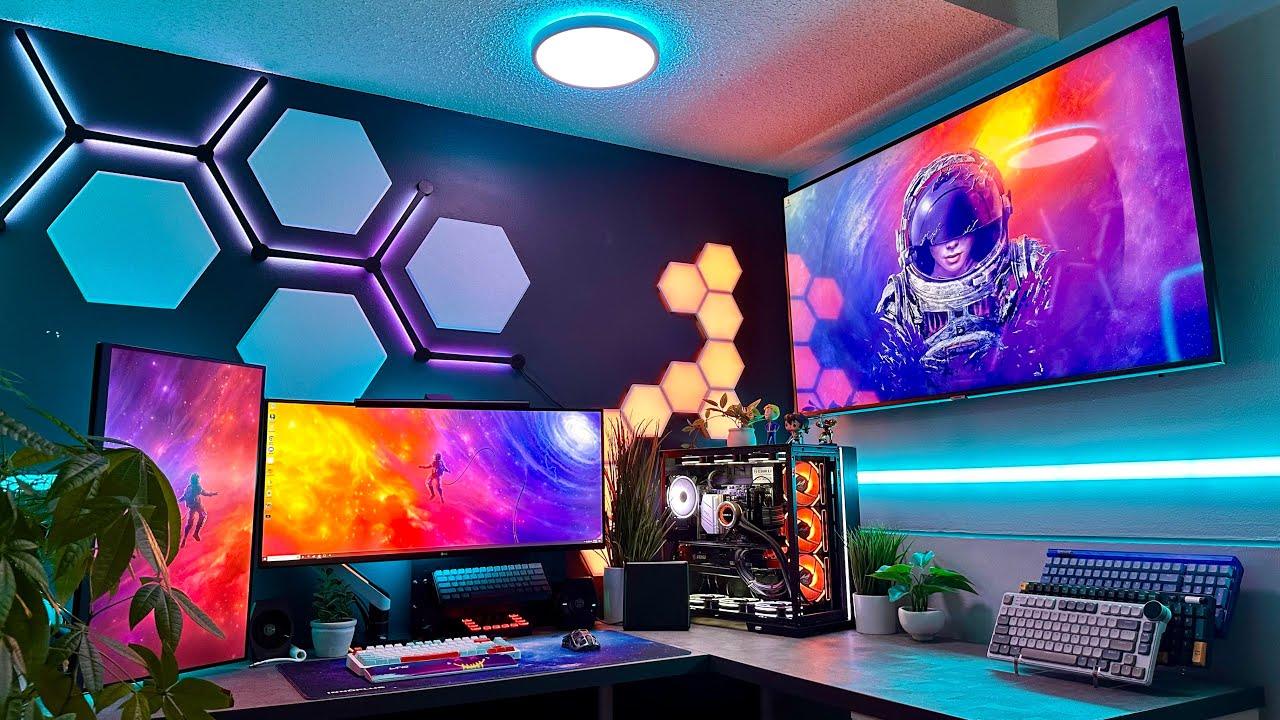
PC placement can also affect airflow. Avoid positioning the case directly against a wall where exhaust air can accumulate. Do not cover ventilation openings or place the computer inside a tightly enclosed cabinet unless that space has been specifically designed for airflow.
For gamers in warmer climates, room ventilation can make a noticeable difference to overall thermal behavior. Managing ambient conditions is therefore part of PC cooling, not something separate from it.
Monitor Temperatures Before Changing Hardware
When temperatures seem unusually high, avoid immediately purchasing a new cooler. First identify where the problem originates.
Start by monitoring the CPU and GPU during idle operation and then during a repeatable gaming workload. If both temperatures are elevated, case airflow or room temperature may be involved. If only the CPU is unusually hot, inspect the CPU cooler, thermal paste, mounting pressure, and fan curve. If the GPU is the main concern, examine its airflow path and surrounding clearance.
This diagnostic approach saves money and prevents unnecessary upgrades. eurogamersonline encourages gamers to identify the thermal bottleneck before replacing components, because the cheapest solution may involve repositioning a fan, cleaning a filter, improving cable management, or adjusting the airflow direction.
A Practical Cooling Strategy for Different Builds
Not every gaming PC requires the same thermal configuration. An entry-level system primarily designed for 1080p gaming can often use a straightforward air cooler and a few well-positioned case fans. A more powerful system intended for high-resolution gaming may benefit from stronger airflow and a larger CPU cooler.
Enthusiast builds can require more careful planning, particularly when combining a powerful CPU and GPU inside a compact chassis. In these situations, radiator placement, fan orientation, component clearance, and ambient temperature become increasingly important.
The goal should not be achieving the lowest possible temperature at any cost. Instead, aim for stable temperatures, reasonable noise levels, reliable performance, and a cooling setup that fits the system’s actual workload.
Conclusion
Effective gaming PC cooling is about balance. A powerful CPU cooler cannot overcome poor case ventilation, while a case full of fans cannot compensate for an incorrectly mounted cooler. The strongest thermal setup combines appropriate hardware with intelligent airflow, clean components, suitable fan curves, proper thermal contact, and sensible PC placement. Air cooling remains an excellent choice for many gamers because it is straightforward, affordable, and easy to maintain. Liquid cooling can provide additional capability for demanding systems, but it introduces more complexity and requires careful installation. Regardless of the approach, monitoring temperatures and identifying the real source of heat problems should come before spending money on upgrades.

