
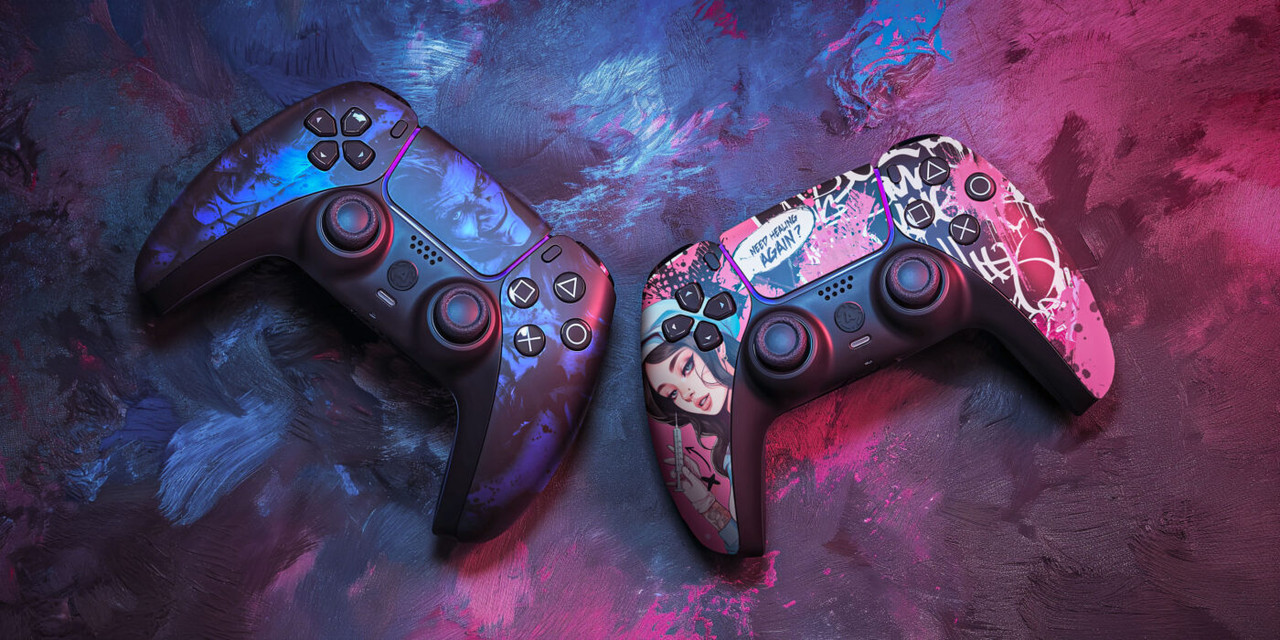

A controller is more than an input device. It is the connection between a player and the game, which means small changes to its layout, sensitivity, buttons, or physical design can influence the entire gaming experience. Different players have different hand sizes, playing styles, reaction speeds, and preferences, so a standard controller setup may not always feel ideal. eurogamersonline explores how thoughtful controller customization can help players create a setup that feels more natural and responsive.
Customization can be particularly useful in competitive games where quick reactions and accurate inputs matter. However, even casual players can benefit from adjusting their controls for comfort and convenience. The goal is not simply to make a controller look different. Effective customization should improve the way you interact with the game while reducing unnecessary strain and making important commands easier to access.
Start With Your Playing Style
Before changing anything, consider the types of games you play most often. A controller configuration that works beautifully for a racing game may not be appropriate for a fast-paced shooter or fighting game. Understanding your gaming habits helps you identify which adjustments are actually useful.
Players who frequently play competitive shooters may prioritize rapid aiming, quick movement, and easy access to crouch or reload commands. Racing enthusiasts may care more about trigger sensitivity and steering control. Fighting-game players can benefit from button layouts that make combinations easier to execute.
eurogamersonline recommends thinking about these factors before making major changes:
- Your most frequently used commands
- Games or genres you play regularly
- Preferred sensitivity levels
- Hand size and grip style
- Whether comfort or speed is your primary goal
- Which buttons feel difficult to reach
This simple assessment can prevent unnecessary customization and help you focus on improvements that have a genuine impact.
Customize Button Mapping for Faster Inputs
One of the most useful controller modifications is button remapping. Many modern gaming systems and controllers allow players to assign different commands to individual buttons. This gives you the opportunity to move frequently used actions into positions that are easier for your fingers to reach.
For example, a player may move a crouch command to a rear paddle instead of clicking the traditional thumbstick. This can allow movement and crouching to happen almost simultaneously without taking the thumb away from the analog stick.
Button mapping can also help players develop a consistent control system across multiple games. Instead of adapting completely to every default layout, you can establish familiar positions for important actions.
The best approach is to prioritize actions that require frequent or immediate access. Avoid changing every button simply because customization is available. A smaller number of meaningful adjustments can be easier to remember and more effective during intense gameplay.
Use Rear Paddles and Additional Inputs
Rear paddles can provide extra control options without requiring players to move their thumbs away from the analog sticks. This can be particularly helpful in competitive genres where maintaining camera control while performing another action is important.
A rear paddle could be assigned to jumping, crouching, reloading, switching equipment, or another frequently used command. Once players become comfortable with the arrangement, they may be able to perform combinations of actions more naturally.
However, adding too many inputs can create confusion. New paddles should be introduced gradually so that muscle memory has time to develop.
When setting up rear controls, consider:
- Which actions you perform most often
- Which commands currently require awkward finger movement
- Whether each paddle can be distinguished by touch
- How comfortably you can hold the controller
- Whether the new arrangement works across your favorite games
A well-designed paddle layout should simplify control rather than make the controller feel complicated.
Adjust Analog Stick Sensitivity
Analog stick sensitivity can dramatically influence how movement and camera control feel. High sensitivity allows the camera to turn quickly with small stick movements, while lower sensitivity can provide greater control over slower adjustments.
There is no universal setting that works for every player. Someone who prefers aggressive, fast-paced gameplay may enjoy higher sensitivity, while another player may find moderate settings easier for accurate aiming.
eurogamersonline suggests experimenting with sensitivity gradually rather than immediately switching to extreme settings. Spend several matches or practice sessions with one adjustment before deciding whether it works.
You should also consider whether the game provides separate settings for horizontal and vertical movement. Some titles offer advanced options that allow players to fine-tune acceleration, response curves, and aiming behavior.
Finding Your Comfortable Sensitivity
Start near the game’s default level and make small changes. If turning feels sluggish, increase sensitivity slightly. If your crosshair constantly overshoots the target, reduce it.
Consistency is more important than choosing the highest possible sensitivity. A setting that allows reliable control is usually more useful than one that looks impressive on paper.
Improve Trigger Response
Triggers are essential in racing games, shooters, sports titles, and many action games. Customizable trigger stops can reduce the distance required to activate a trigger, potentially making certain commands feel faster.
For shooting games, shorter trigger movement may make repeated actions feel more responsive. In racing games, however, longer trigger travel can sometimes provide more precise control over acceleration and braking.
This means trigger customization should depend on the genre. Competitive players may prefer different configurations for different game categories.
A useful approach is to create separate controller profiles if your hardware supports them. One profile could prioritize rapid trigger activation for action games, while another could provide smoother analog control for racing.
Choose the Right Thumbstick Design
Thumbsticks come in different shapes, heights, and textures. These small physical differences can affect how precisely you control movement and aiming.
A taller stick can provide more physical range for delicate movements, potentially helping players who value precision. A shorter stick can feel quicker and more responsive for players who prefer rapid directional changes.
Convex and concave designs also offer different sensations. Some players prefer a concave surface because the thumb naturally rests inside it, while others like the freedom of a convex top.
Texture matters as well. A grip-enhancing surface can help prevent the thumb from slipping during long sessions.
Try to evaluate thumbsticks based on comfort rather than appearance. A visually impressive modification has little value if it causes discomfort or makes precise movements harder.
Consider Grip and Ergonomics
Comfort is one of the most overlooked aspects of controller customization. Gamers can spend several hours holding a controller, so an uncomfortable grip may become distracting over time.
Textured grips can provide additional traction, while different shell shapes may better suit particular hand sizes. Some players prefer a slightly heavier controller because it feels stable, while others want a lightweight design that reduces fatigue.
Good ergonomics should allow your hands to remain relaxed. If you constantly need to stretch your fingers to reach a button, that control may need to be repositioned.
eurogamersonline emphasizes that customization should support sustainable gaming habits rather than encourage uncomfortable positions. A controller that feels natural in your hands can make long sessions more enjoyable while helping you maintain consistent input.
Build a Customization Plan
Instead of changing everything at once, make one adjustment at a time. This makes it much easier to determine which modification actually improves your experience.
| Customization | Potential Benefit | Best For |
|---|---|---|
| Button remapping | Faster access to commands | Competitive and action games |
| Rear paddles | Additional controls | Shooters and fast-paced games |
| Stick sensitivity | Improved camera control | Shooters and action titles |
| Trigger adjustments | Faster or smoother activation | Shooters and racing |
| Thumbstick changes | Better precision or speed | Most genres |
| Grip modifications | Greater comfort | Long gaming sessions |
After each modification, spend enough time using it to develop familiarity. A configuration may initially feel strange simply because it differs from your previous habits. Give your muscle memory an opportunity to adjust before deciding whether a change is successful.
Create Different Profiles for Different Games
One controller does not necessarily need one permanent configuration. If your hardware supports multiple profiles, take advantage of them.
For example, a competitive shooter profile could feature:
- Higher stick sensitivity
- Rear paddle controls
- Shorter trigger activation
- Custom button assignments
A racing profile could instead focus on smooth trigger travel and comfortable steering sensitivity.
A sports-game profile might prioritize quick access to passing, sprinting, defensive movements, or player-switching commands.
Creating profiles saves time and prevents players from repeatedly changing settings manually. It also recognizes an important reality of modern gaming: different genres demand different control philosophies.
Prioritize Precision Over Complexity
Customization can become excessive. Adding every available feature does not automatically create a better controller. In fact, too many changes can make controls harder to remember and reduce consistency.
A good customization setup should answer a simple question: Does this change make an important action easier, faster, or more comfortable?
If the answer is no, there may be little reason to make the modification.
eurogamersonline highlights the importance of purposeful customization. Players should focus on changes that solve specific problems rather than modifying controls simply because an option exists.
The strongest setups are often surprisingly simple. A few carefully selected adjustments can provide a better experience than a controller overloaded with unnecessary features.
Test Your Configuration in Practice
After customizing your controller, test it in a low-pressure environment. Practice modes, training areas, private matches, and offline sessions are excellent places to evaluate new controls.
Pay attention to whether your movements feel natural. Notice whether you accidentally press buttons, lose grip, or struggle to remember newly assigned commands.
It can also help to test the same configuration across several sessions. A setup that feels exciting for ten minutes may become uncomfortable after an hour.
Look for improvements in:
- Reaction speed
- Accuracy
- Movement consistency
- Button accessibility
- Hand comfort
- Overall confidence
If one modification creates more problems than benefits, change it. Controller customization should remain flexible.
Avoid Common Customization Mistakes
There are several mistakes players should avoid when experimenting with customized controls. One common error is copying another player’s exact setup without considering personal preferences. Professional or competitive players may have developed configurations that match their own hand positioning and muscle memory, but those settings may not suit everyone.
Another mistake is changing sensitivity too dramatically. Extreme adjustments can make aiming or movement unpredictable.
Players should also avoid ignoring comfort. A configuration that provides slightly faster inputs but causes significant hand discomfort may not be worthwhile for regular use.
Finally, remember that customization cannot replace practice. A new controller layout may provide useful advantages, but developing muscle memory still requires time and repetition.
Make Customization Part of Your Gaming Setup
A controller works best when it complements the entire gaming environment. Display settings, audio, seating position, desk height, and internet performance can all affect the overall experience. Controller customization should therefore be considered one part of a broader setup.
Keep your preferred settings documented, especially if you frequently switch devices. If you use multiple controllers, maintaining similar layouts can reduce the adjustment period between them.
It is also worthwhile to periodically review your setup. As your gaming preferences evolve, the controls that once felt perfect may no longer be ideal. New games can also introduce different mechanics that make alternative configurations useful.
Conclusion
Controller customization is ultimately about creating a more personal connection between the player and the game. From button remapping and rear paddles to sensitivity adjustments, thumbstick choices, trigger settings, and ergonomic improvements, small changes can make controls feel significantly more natural. The most effective strategy is to customize with a purpose. Identify the actions that feel inconvenient, experiment with targeted adjustments, and give yourself enough time to develop new muscle memory. Avoid copying another player’s setup blindly, and remember that comfort is just as important as speed.

